English
What are the differences between different internal infill patterns in FDM 3D printing? How should y
In FDM 3D printing, the factors that affect a model's final performance are not just the filament, nozzle temperature, and print speed,The internal infill is also an important factor that determines the model's weight, material consumption, print time, and structural performance.
When you open slicing software such as Bambu Studio, OrcaSlicer, or Cura, we usually see a variety of infill patterns including Grid, Gyroid, Honeycomb, and Cubic. They may appear to differ only in internal structure, but in actual printing, their load-bearing behavior, forming efficiency, and material utilization all differ.
So, what exactly does internal infill do? What are the differences between different patterns? Which one should be chosen for everyday decorative items, functional parts, and load-bearing structures?
This article will start from the working principles of common infill patterns to help you set slicing parameters more reasonably, so that every gram of filament fulfills its intended role.
1. What is internal infill in 3D printing?
During FDM printing, the printer typically first forms the model's outer walls, then prints the internal structure according to the set infill density and pattern, and finally seals the model with solid top layers.
Internal infill mainly serves three purposes:
Providing internal support: Supporting the solid top layers to reduce the risk of sagging or sinking on large top surfaces.
Affecting structural performance: Helping the model distribute loads and resist compression and deformation.
Controlling material and time: Balancing weight, filament usage, and printing efficiency by adjusting infill density and structure.
It is important to note that more internal infill is not always better. For many FDM models, increasing the number of outer walls, optimizing print orientation, or improving layer adhesion may be more effective than simply raising the infill density.
2. What is the difference between infill density and infill pattern?
Before choosing a specific pattern, it is necessary to distinguish between two easily confused concepts:Infill Density and Infill Pattern.
Infill density determines how dense the internal structure is. For example, 10% infill is usually lighter and uses less material, while 30% infill typically forms a denser internal support. However, the specific strength increase depends on the model shape, infill structure, outer walls, and print orientation.
Infill pattern determines how these materials are arranged. Even with the same density setting, Grid, Gyroid, and Lightning may exhibit different structural performance, print times, and material consumption.
A simple way to understand it is: density determines "how much to fill," and pattern determines "how to fill."
For ordinary models, you can start by testing with an infill density of 10%–20%. For functional parts that need to withstand significant loads, verification should be carried out based on actual stress conditions rather than directly applying a fixed ratio.
3. Eight common internal infill patterns and their differences
1. Rectilinear: Straight-line infill
Rectilinear infill forms a simple parallel-line structure by alternating direction between different layers. Its toolpath is relatively direct, making it generally suitable for models that prioritize faster print speed and lower material consumption.
Main characteristics:
Simple structure with relatively direct toolpath planning.
Suitable for rapid prototypes, display pieces, and low-load models.
Mechanical performance is directional, making it unsuitable for complex load-bearing parts without prior validation.
Applicable scenarios: Concept models, display pieces, and print parameter test parts.
2. Grid: Grid infill
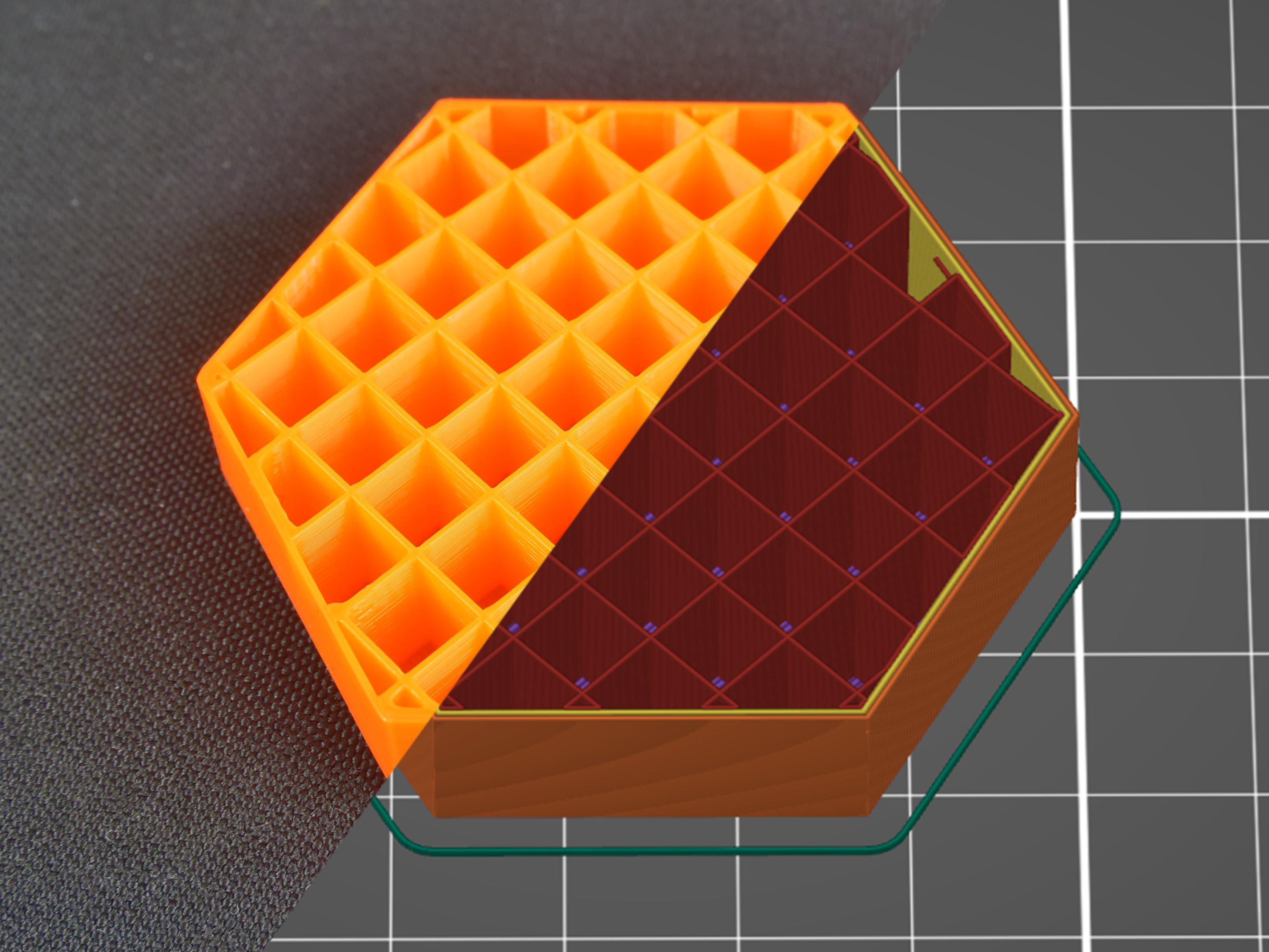
Grid consists of mutually perpendicular lines that form a regular square structure within the same layer, making it one of the common general-purpose infill methods.
Main characteristics:
Regular structure with simple parameter settings.
Provides relatively uniform support for solid top layers.
Line intersections within the same layer may cause localized material buildup, and the nozzle may experience friction or collision when passing over intersection points.
Applicable scenarios: Everyday storage items, ordinary brackets, shells, and general-purpose models.
If you hear periodic nozzle tapping against the infill structure during printing, you can try adjusting the infill pattern, density, or related print parameters.
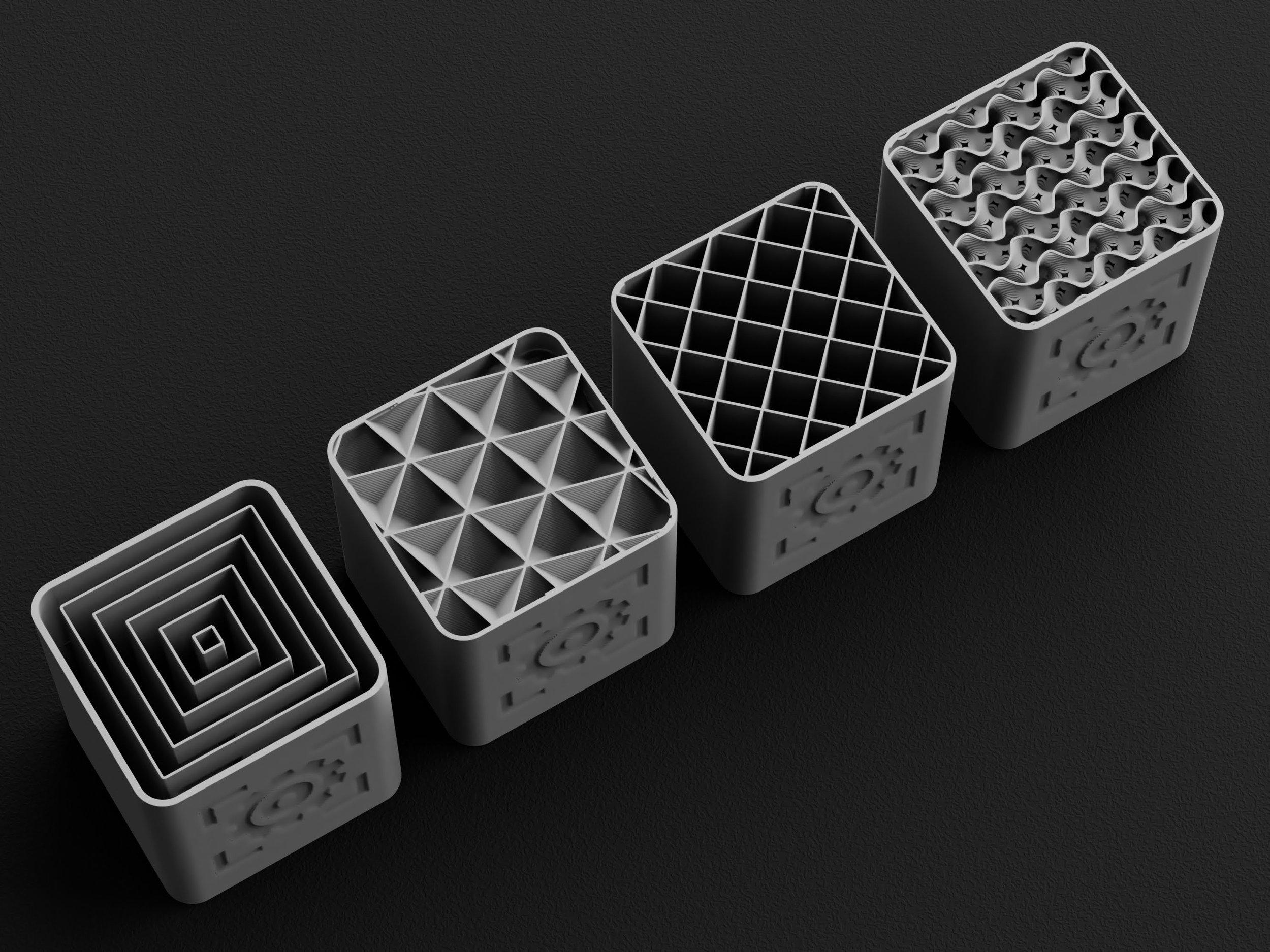
3. Triangles: Triangular infill
Triangular infill forms an internal grid using repeating triangular units. Triangles have good geometric stability, making this structure suitable for models that require a certain degree of planar stiffness.
Main characteristics:
Triangular units can resist a certain degree of in-plane deformation.
Suitable for parts that require a certain level of rigidity and structural support.
Line direction and actual load direction affect the final performance, so absolute strength cannot be judged by the pattern alone.
Applicable scenarios: Panels, shells, flat support parts, and models that need to resist lateral deformation.
4. Honeycomb: Honeycomb infill
Honeycomb infill uses hexagonal cells similar to a beehive, offering high structural recognition and is also commonly used in lightweight structural design.
Main characteristics:
The hexagonal structure achieves a certain balance between weight and support capability.
Clear internal structure with a distinctive visual effect.
The toolpath is usually more complex than simple straight lines, so print time may be longer.
Applicable scenarios: Lightweight structural parts, decorative models, and parts requiring a certain degree of internal stiffness.
The honeycomb structure does not mean it is always stronger than other infills. The actual result still depends on infill density, wall thickness, print orientation, and model geometry.
5. Cubic: Cubic infill
Cubic infill builds a spatial structure at different heights and directions, so the internal support is no longer confined to a single plane.
Main characteristics:
Features a three-dimensional interlocking structure.
Suitable for withstanding loads from multiple directions.
Compared to simple two-dimensional line structures, it provides more three-dimensional support in different directions.
Applicable scenarios: Functional parts, tool accessories, load-bearing brackets, and structural prototypes.
For models with unfixed load directions, Cubic can be used as a candidate option, and then actual testing can determine whether it meets the requirements.
6. Adaptive Cubic: Adaptive cubic infill
Adaptive cubic infill is based on the cubic structure and adjusts the structural distribution according to the needs of different regions within the model. It typically provides denser support near the outer walls or surfaces while keeping deeper internal regions relatively sparse.
Main characteristics:
Can reduce unnecessary material usage inside large models.
Retains relatively dense structures in areas with higher support requirements.
For large models, it has the potential to reduce print time and filament consumption.
Applicable scenarios: Large shells, large functional models, and parts that aim to balance structural support with material utilization.
Its advantage mainly lies in the efficiency of structural distribution, which does not mean that any model can maintain exactly the same strength while saving material.
7. Gyroid: Spiral surface infill
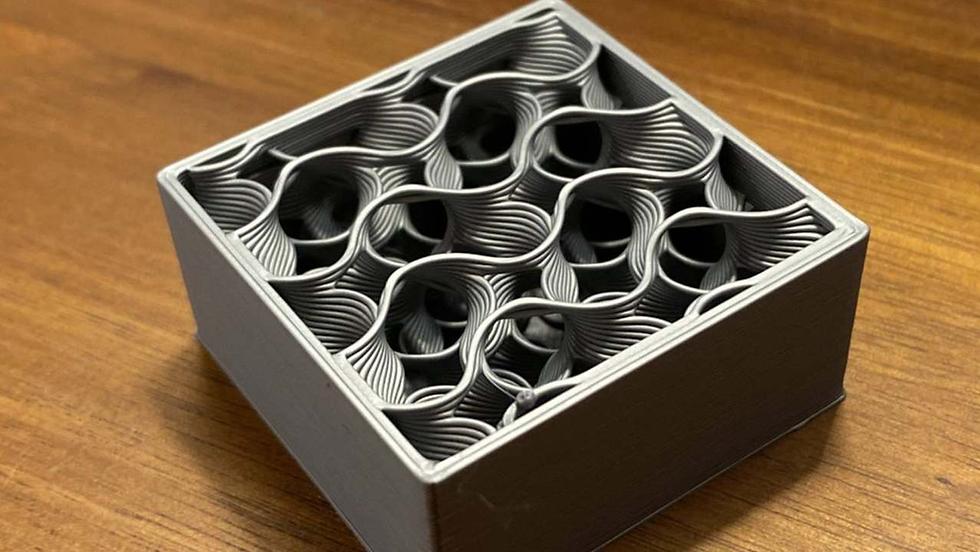
Gyroid is a three-dimensional infill structure composed of continuous curved surfaces, with an appearance similar to continuous undulating waves. Unlike regular grid intersection structures, its toolpath has more obvious spatial continuity.
Main characteristics:
The three-dimensional structure helps distribute loads in multiple directions.
The continuous curved surface structure is suitable for applications that need to resist multi-directional forces or torsion.
It does not have the same-layer straight-line intersection points found in traditional Grid, but print speed and material consumption still depend on the slicer, density, and machine settings.
Applicable scenarios: Functional parts, handheld tool accessories, structures that need to withstand loads from complex directions, and some general-purpose models that hope to achieve balanced performance.
If you are not sure from which direction the model will be loaded, Gyroid can be a practical starting option, but it is not the strongest or fastest in all working conditions.
8. Lightning: Lightning infill
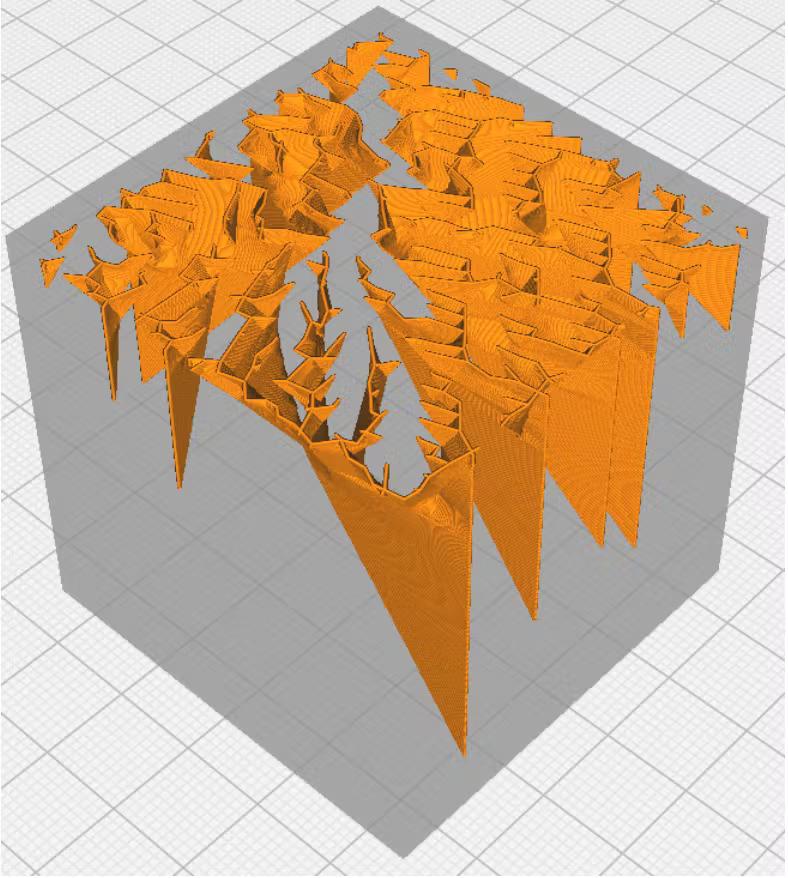
Lightning is an infill method aimed at reducing material consumption. It does not fill the model interior uniformly like a regular grid, but instead generates branch-like structures mainly where support for the top structure is needed.
Main characteristics:
Can significantly reduce filament usage in most cases.
For some large display models, it can shorten print time.
The internal structure is not designed for load-bearing purposes and is not suitable for parts requiring reliable mechanical strength.
Applicable scenarios: Display pieces, character models, decorative shells, and models with low internal load-bearing requirements.
When using Lightning, special attention should be paid to whether the solid top layers have sufficient support. If the top surface shows sagging, voids, or unevenness, consider increasing the number of top layers or switching to a different infill pattern.
4. How should different infill patterns be selected?
When choosing an infill method, it is recommended to first clarify the main purpose of the model, and then consider strength, weight, print time, and material cost.
Usage requirement | Recommended patterns for initial testing | Reason for choice |
Rapid prototyping and appearance models | Rectilinear, Grid | Simple structure, suitable for regular printing needs |
Everyday storage and ordinary accessories | Grid, Gyroid | Balances support capability and versatility |
Functional parts with multi-directional loading | Gyroid, Cubic | Provides three-dimensional support structure |
Large models where material saving is desired | Adaptive Cubic | Can adjust internal structure by region |
Lightweight and honeycomb appearance | Honeycomb | Hexagonal structure balances support and visual features |
Low-load decorative models | Lightning | Reduces unnecessary internal material |